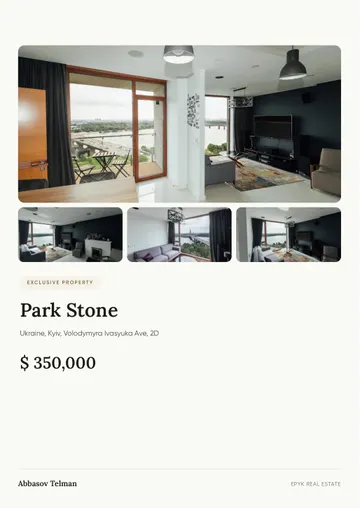
Your avatar presents the property using your script. Create it from your photo or pick a ready-made presenter; the voice is one of 14 or your own. The video is made in your GREM account.
Example result
A video made by the AI avatar from a photo and a script. You create yours in the cabinet.
Upload a front-facing portrait in good light or pick a ready-made presenter.
One of 14 voices or your own: a recording of up to 2 minutes is enough. Write the script in any of the 10 languages.
The finished video opens in your account. Send it to a client or post it on social media.
A front-facing portrait becomes an avatar that speaks your script, with lips and facial expressions moving in time with the speech.
Pick one of 14 voices or record your own: a recording of up to 2 minutes is enough.
Prefer not to appear on camera? Pick a ready-made presenter to talk about the property for you.
Make the video in English, German, Spanish, Ukrainian, Russian, Azerbaijani, Arabic, French, Chinese or Turkish. For buyers from different countries, make several videos about one property.
No camera, studio or video editor needed: the video is made in your account from a photo, a voice and a script.
The avatar speaks your script, with lips and facial expressions moving in time with the speech. Watch the example on this page to judge the quality.
A sharp front-facing portrait: good light, a plain background, no sunglasses or harsh shadows.
No. You can pick one of 14 voices. If you want the avatar to speak in your voice, upload a recording of up to 2 minutes.
14 male and female voices, or your own voice from a recording of up to 2 minutes. The video can be voiced in any of the 10 languages.
The avatar and the video are paid per use or included in your plan's monthly limit. Current prices and limits are in the pricing table on the home page.